

I‘ve just release Acorn 8.5, which has some new features, nice SVG improvements, and some good bug fixes.
Here are my favorites:
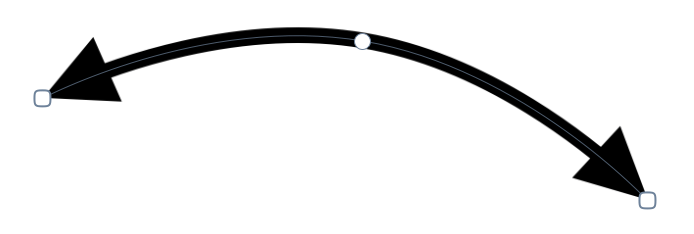
There’s a new “Bendable” type of Arrow shape which lets you add a nice adjustable curve to your arrow. You can also have arrow heads on either end (or both) of the shape. This has been a feature request for many years, so I’m glad to finally add it.
SVG importing has been much improved. Drop shadows, text on a path, poly lines, transforms, reading css colors, and more are all now supported. If you find a SVG that Acorn won’t open - let me know!
The multi-stop gradient filters now have an option to use the Oklab color space for blending interpolation. What that means is the blending between colors is a whole lot nicer (aka, “perceptual”):
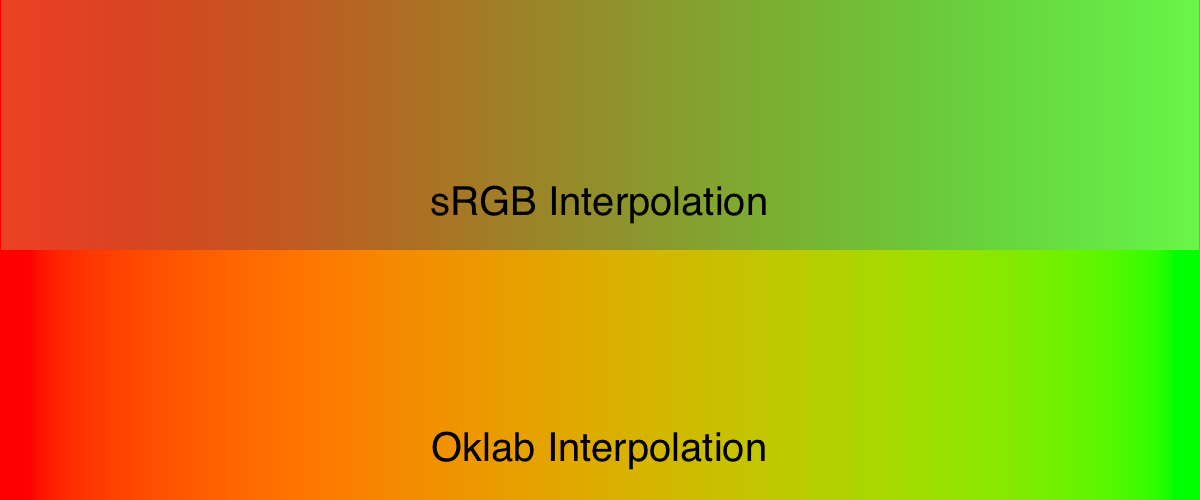
The Oklab interpolation isn’t available with gradients on vector shapes yet, but it’s something I’m working on.
Also new: pressing the option-tab keys will hide all palettes and toolbars. It’s a little thing, but I really like being able to see my image without any distractions. And if you have the “Edge to edge” canvas preference set, it’s great being able to see everything your image just floating there in space, “Letting the content shine” as Apple might say.
Various UI refinements with Liquid Glass and palette things when the canvas is set to edge to edge. There’s more to do here in the future as a general consensus begins to emerge for what Mac apps should look like on Tahoe, so expect more refinement in the future.
As a side note, as of today about 74% of you are using Acorn on Tahoe, 24% on Sequoia, and about 2% on Sonoma.
There’s more of course: and the full release notes are available as always.
What’s next? Well, I of course have a long list of things, but if you want to see something specific in Acorn, drop me a note.